We offer our customers the ability to pay invoices via ACH if your bank is based in the United States. This is not currently available for customers whose banks are based outside of the U.S.
If you would like to initiate ACH payments, please follow the steps below:
Step 1: Log into your Spreedly account: https://app.spreedly.com.
Navigate to the account name at the top right corner of the page and select the "Manage billing" option in the drop down.
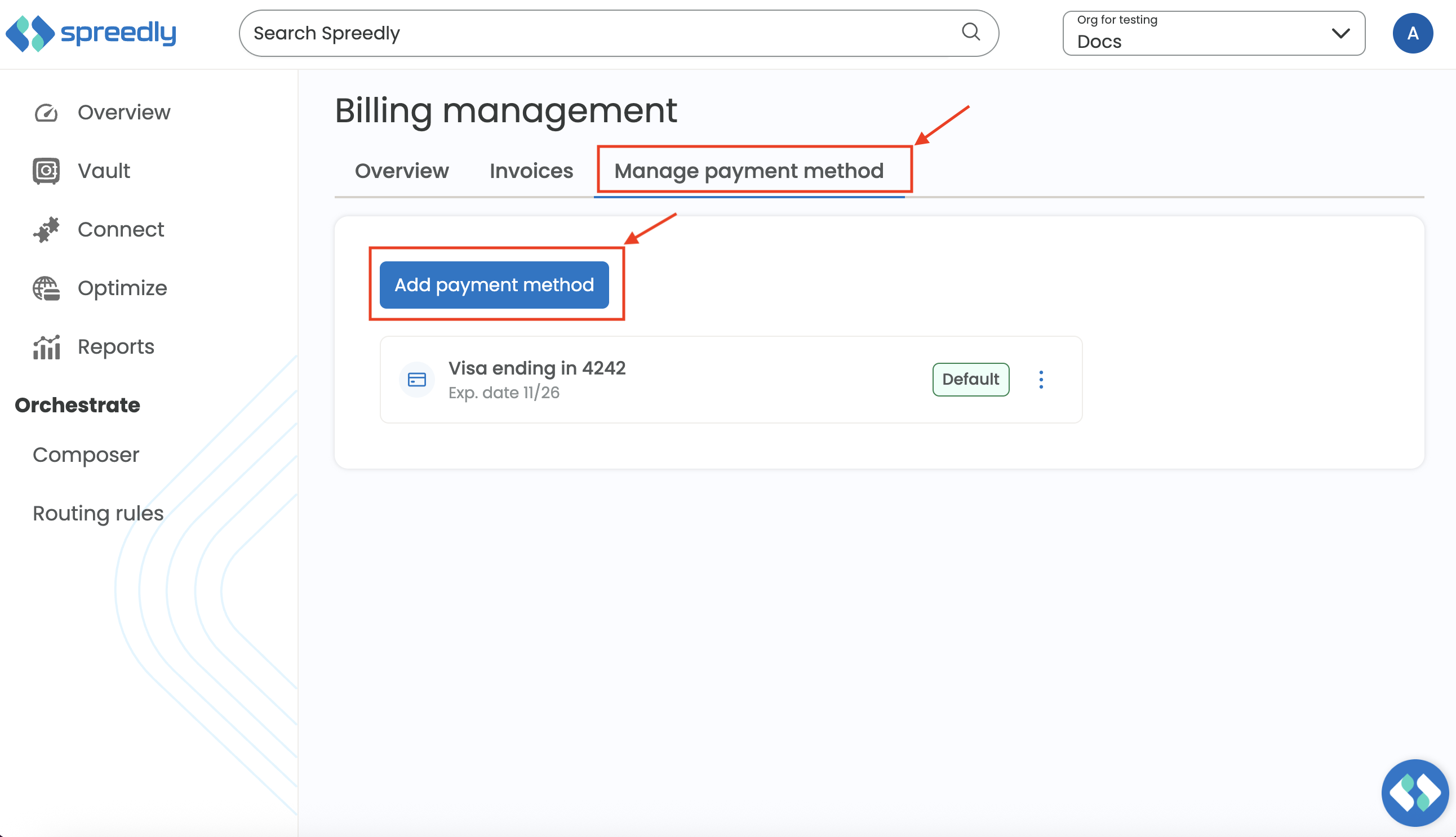
Step 2: Click the "Manage Payment Method" tab and select "add payment method".
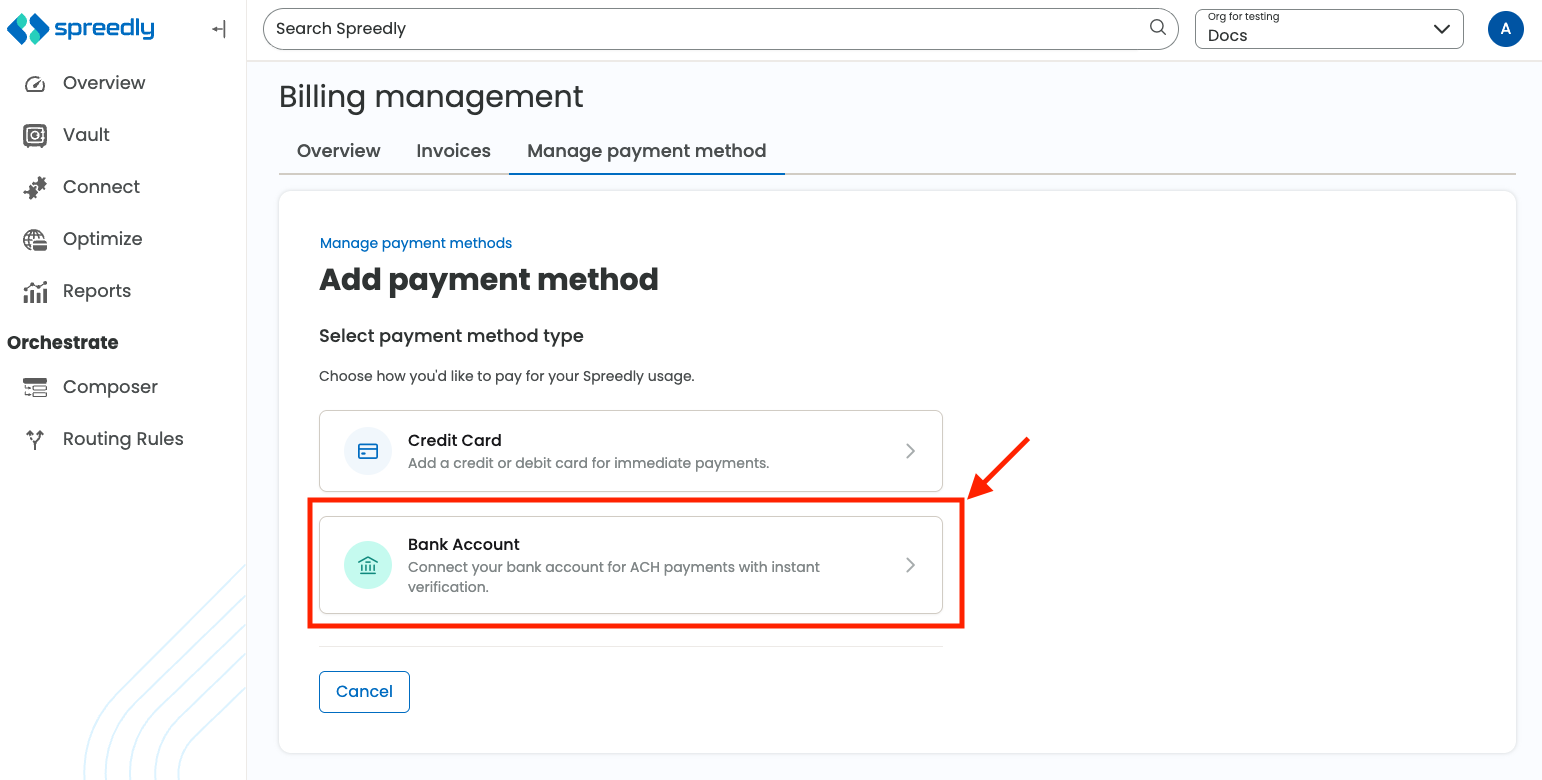
Step 3: Click the "Bank Account" card and follow the steps to add your bank account and click "save".